
Yes, you can listen to and download audio of our shows. Due to file sizes, video downloads are not offered at this time.
Download the episode while you’re connected to the internet, and you can listen without a connection later.
To download:
1. Go to the Podcast tab.
2. Select the show and episode you want. (This downloads the audio file to your device’s storage, inside the app’s sandbox, not in your audio files.)
3. Tap the cloud icon with the downward arrow next to the play button. It is on the far left of the player bar at the bottom.

Once downloaded, the episode will play offline.
Alternatively, if you’re going on a flight and want to download a few episodes, the best way is to add them to your audio queue and to download them using the downward facing download icon
on the right.
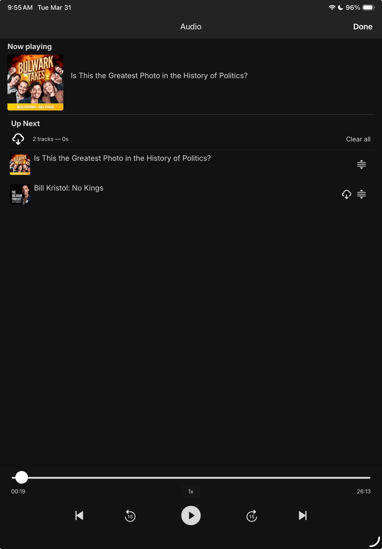
Note: Offline listening applies to downloaded podcast episodes only. Video and other content require an internet connection.